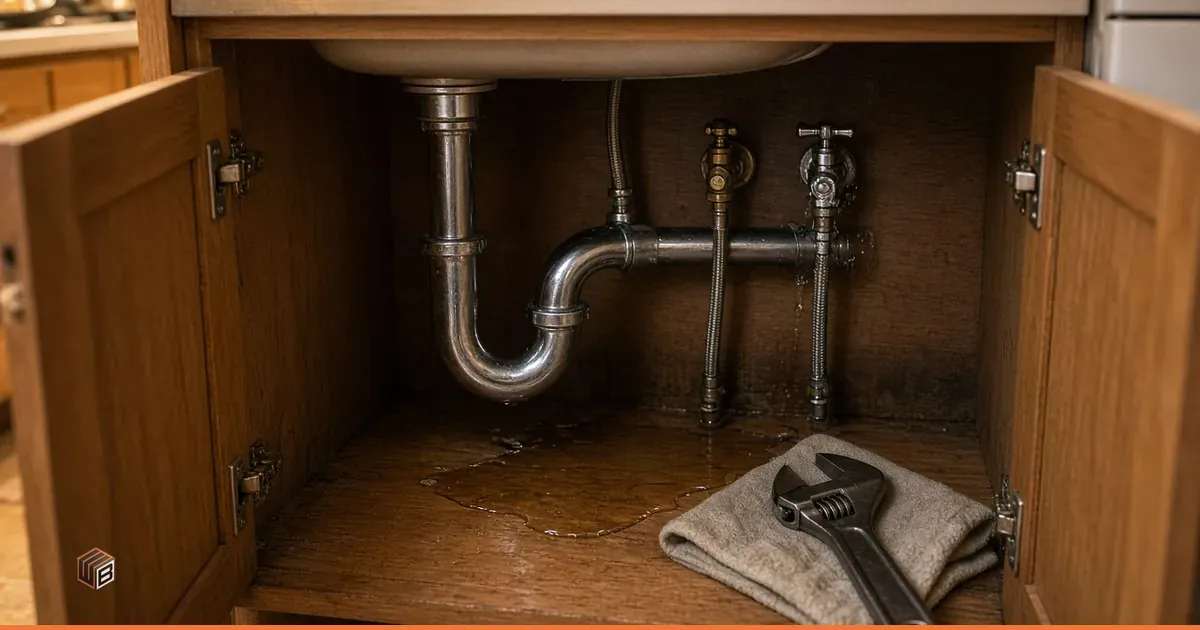
It's 9:40 on a weeknight. There's water spreading across a kitchen floor from under the sink, and the homeowner is holding a towel in one hand and a phone in the other. They don't want to read about your company history. They want a plumber who will pick up. (A made-up scenario, not a real client or town.)
Good plumbing website design has to serve that person and a neighbor down the street who's planning to replace a 15-year-old water heater. No rush there. They'll read, look at photos, and ask for an estimate when it suits them. These two people need different paths. The emergency visitor gets a phone number they can tap right away and the truth about your hours. The planned-work visitor gets a short estimate request and enough detail to trust you with the job. Both need proof they can check and a service area in plain words.
This post covers the two paths, how they share one homepage, service pages named the way people describe problems, what "24/7" and "book online" should really mean, and what a website can't do for you after hours. For the basics every trade site needs, see our post on contractor website design.
Why one homepage can't treat a burst pipe like a remodel
The two visitors behave in opposite ways. The person with the leak is impatient, on a phone, and trying to call. Every second spent scrolling past a slider or a "Welcome to our family business" paragraph is a second they could spend dialing someone else.
The person planning a bathroom fixture job or a repipe is in no hurry. They'll read a little. They want to see work like theirs and understand what happens next. Then they'll fill in a short form, if the next step is obvious.
A single "Contact us" button serves neither of them well. The emergency caller has to hunt for the number. The planner lands on a generic form that doesn't ask about their job. Splitting the paths isn't a marketing trick. It's just matching the next step to the problem.
The emergency path: get them on the phone
This path has one job, and that's a phone call. Everything on it should help the call happen.
- A real phone link. A
tel:number that dials when tapped, visible without scrolling, and never covered by a pop-up, cookie banner, or autoplay video. - The urgent jobs you actually take. Leaks, backups, no water, no hot water, burst pipes. List only the ones you handle.
- Where you go. Towns or the county, in the words people use.
- Your real hours. And what happens after hours if you're not available every night.
- One proof point next to the call button. License and insurance details, or a review rating linked to its source.
A short "while you wait" note can help too. For example, you might tell people where shut-off valves are usually found in the homes you work on, and to turn the water off if they can do it safely. Keep it general and practical. It isn't official safety or code advice, and it shouldn't read like it.
One rule matters more than the rest. If you don't take after-hours calls every night, don't put "24/7 emergency" on the first screen. A line like "Emergency plumbing, calls answered 7 a.m. to 9 p.m." (or whatever is true for you) is more useful than a promise someone finds out is false at midnight.
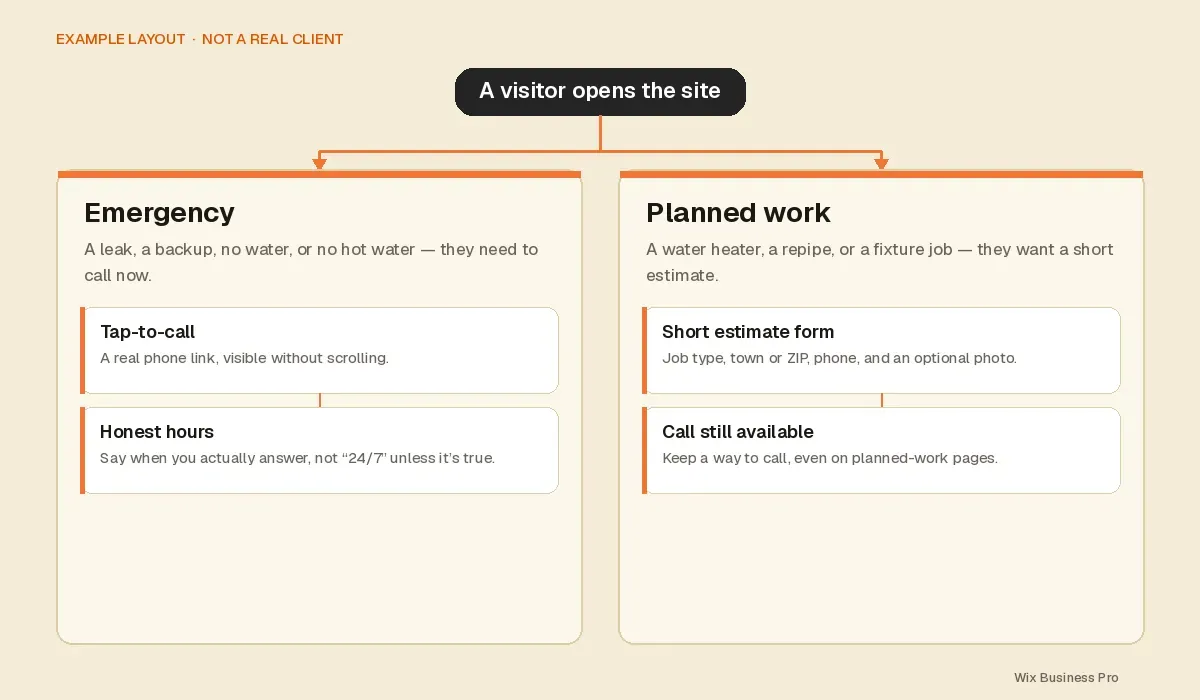
Example layout, not a real client. Emergency visits go to a tap-to-call path; planned work goes to a short estimate form.
The planned-work path: get them to a short estimate request
Water heater replacements, repiping, drain work that can wait, fixture installs. These are quoted jobs, and the visitor is shopping.
- A short estimate form. Job type, town or ZIP code, phone, a one-line description, and an optional photo. It should work on a phone and keep collecting requests after hours.
- Links to separate service pages. Not one paragraph listing twenty jobs.
- Real photos of that kind of work. A water heater you installed beats a stock image of a shiny bathroom.
- What affects the estimate. Explain it plainly: access to the pipes, the fixture or heater type, where the lines run. You don't need to publish prices.
- The phone number, still there. Some planners would rather talk.
Call this form what it is. If it leads to a call-back, it's an estimate request. It isn't "online booking."
Fitting both paths on one first screen
You don't need two websites. You need a first screen that sorts people quickly. From top to bottom:
- A plain headline that names the trade and your towns, for example "Plumbing repair and installation in [your county]."
- A main call button for urgent work.
- A second button, "Request an estimate," for planned work.
- One line of honest hours, including what happens after hours.
- One proof point.
- Then tiles or links into your main services.
Leave out rotating sliders, stock bathrooms, and a "your local plumbing experts" headline that names neither the work nor the place. Also skip a "Book now" button that opens a long form, and any pop-up that covers the number. Google's page experience guidance asks site owners to avoid intrusive interstitials, and a plumber's number is the last thing that should be hidden.
Service pages named the way homeowners describe the problem
Homeowners don't search for "residential plumbing solutions." They search for the thing that's wrong. Name your pages that way: drain cleaning or clogged drains, water heater repair and replacement, leak detection, repiping. Add an emergency plumbing page only if you really take urgent calls.
Each page should cover:
- What the job involves, in a few plain sentences.
- What affects the estimate, without a made-up price list.
- Photos of that work, labeled honestly.
- The right next step. On the emergency page, that's the call button. On planned-work pages, it's the estimate form plus the call button.
Only build pages for work you do. A page for a service you don't offer just brings you calls you'll turn down. And skip the keyword stuffing. Google's SEO Starter Guide says there are no secrets that automatically rank a site. Pages that clearly explain the job do the work.
If you're thinking about pages for each town you serve, that's a local search question. Our guide to local SEO for contractors covers when town pages help and when they hurt.
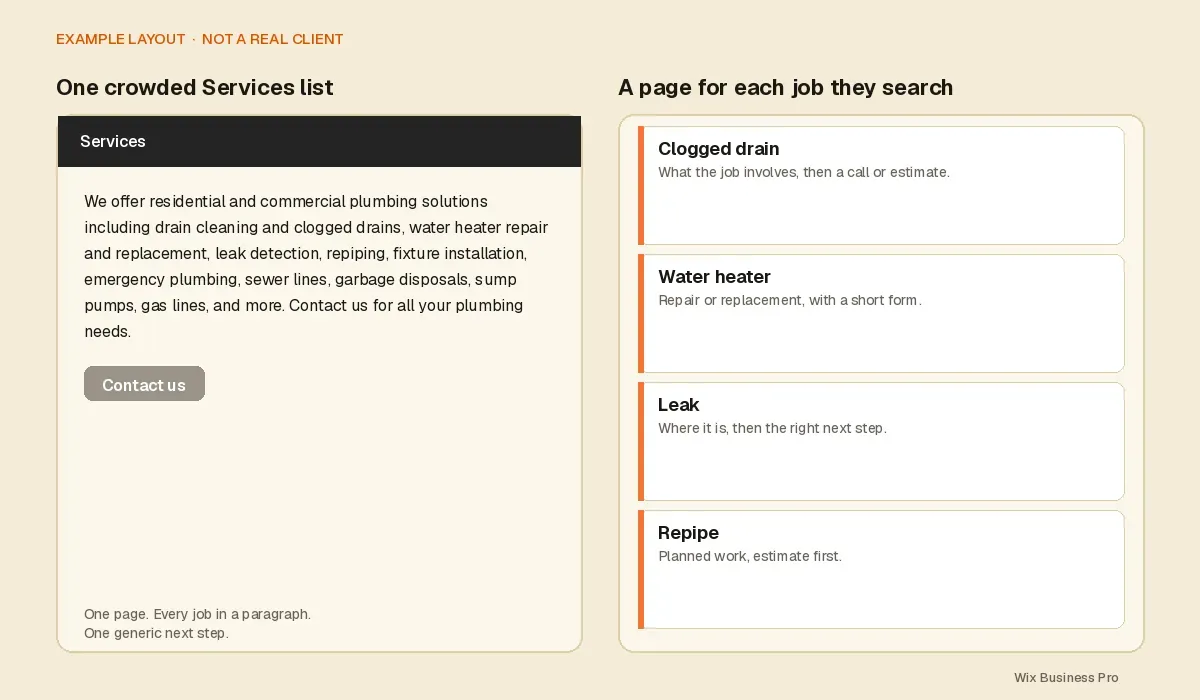
Example layout, not a real client. One services list versus a page per job.
What "24/7" and "book online" should actually mean
Two phrases cause more trouble on plumbing sites than any design choice.
"24/7." Use it only if it's true every night and every weekend, and only if the site says how to reach you after hours. If you take some late calls but not all, say what you do offer. The same goes for your Google Business Profile: Google's guidelines for representing your business ask that business information be accurate.
"Book online" or "Book now." Use it only if a real scheduling system with your real availability sits behind the button. If the button opens a form and you call people back, label it "Request an estimate" or "Request a call-back." The homeowner who thinks they booked a 9 a.m. slot and gets a call at noon won't be happy.
Emergency or after-hours fees. Mention them only if you charge them, in wording you're allowed to use. Advertising rules vary by US state and Canadian province, and this post isn't legal advice.
After hours, a website collects. It doesn't answer. A form can take an estimate request at 11 p.m. so you can call back in the morning. That's useful, but it isn't the same as someone picking up the phone. Our Smart Website's AI customer assistant, for example, answers questions you approve, collects the job details, and passes them to you. It doesn't answer phone calls, quote prices, promise availability, or book jobs unless you tell us exactly how to handle that. Missed-call text-back isn't part of the package; the live offer page answers that question with a plain "No."
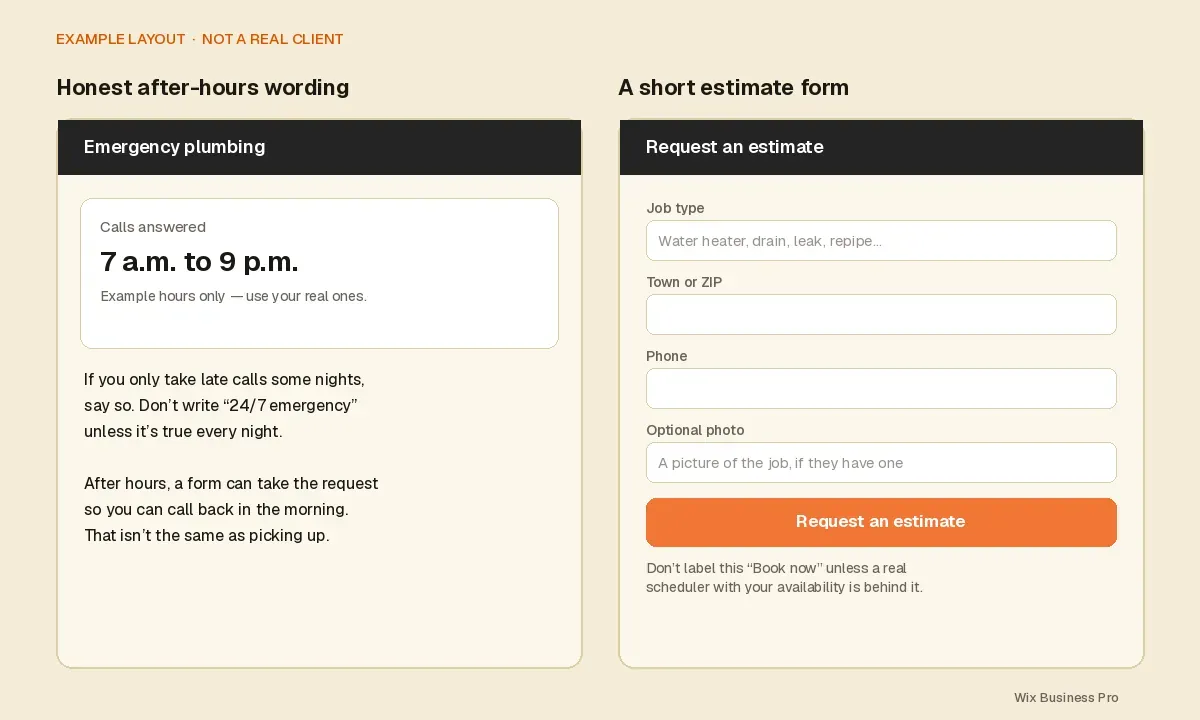
Example only, not a real client. Honest hours wording next to a short estimate form, not a "Book now" button.
Proof a homeowner can check on a plumber's site
Someone letting a stranger into their house at night wants to know you're legitimate.
- License and insurance details they can check. Rules differ by state and province, so show whatever your jurisdiction requires.
- Real job photos. Under-sink work, water heaters, finished bathrooms, labeled with the kind of job and the town or neighborhood.
- Reviews from a real source, or a link to your Google profile. Never fake stars.
- A photo of you or your crew, if you have one.
Short on photos? Say so quietly and fix it over the next few jobs. Ask customers if you can take before-and-after shots. Never use someone else's work or invent a portfolio.
If you'd rather have this built than build it, our Smart Website for contractors lists plumbers among the trades it's made for. Per the live offer page, checked November 24, 2026: $599 paid in full, or 2 payments of $349 ($698 total). It's ready one week after we receive your completed onboarding form. The first year of hosting is included, then $250 a year for eligible custom-coded sites, only if you authorize it. Foundational SEO is included as a starting point, not a ranking promise. Ongoing SEO is optional and billed separately (Contractor Local $95/month, Contractor Growth $180/month; see our managed SEO services). Larger custom builds or booking software are quoted separately through our web design services. Ad campaigns and ad spend aren't included. All amounts are in US dollars.
If your plumbing site is already live, fix the paths first
In this order:
- Make the call button real: it dials, it's visible, and nothing covers it.
- Tell the truth about your hours, on the site and on your Google profile.
- Add a clearly labeled estimate request for planned work.
- Rename "Book online" if it isn't booking.
- Give emergency work and each main planned service their own pages if they currently share one list.
- Swap stock photos for your own.
- Put license and insurance details where people can find them.
Then stop. You can add more later.
The two paths, in short
A plumbing site works best when the person with water on the floor can call you in one tap and knows your real hours. The person planning a water heater swap should find a short estimate request and photos of work like theirs. Both should see proof they can check.
A plumbing site that can take a leak request while you're already on a call
Look through the demo and the full terms first, or meet our team. Websites and SEO since 2013. Wix Partner since 2018.
See the Smart Website for plumbers and other trades · Want to ask something first? Send us a message.
Sources
Reviewed on November 24, 2026. Package details come from our live offer page that day; prices can change.
- Google Search Central: Understanding page experience.
- Google Search Central: SEO Starter Guide.
- Google Business Profile Help: Guidelines for representing your business on Google.
- Wix Help Center: Getting your site found on Google: SEO best practices.
- Wix Business Pro: Smart Websites for Contractors. Package, prices, hosting, assistant limits, missed-call text-back answer. Costs over three years: contractor website cost guide.
Questions plumbers ask about their websites
Should I put "24/7 emergency" on my homepage if I only take late calls some nights?
No. Say what's true, such as the hours you answer and what happens after that. A promise that fails at midnight costs more trust than it earns.
Do I need a separate emergency plumbing page?
Only if you really take urgent calls. If you do, give it its own page with the phone number at the top and your real hours.
Should drain cleaning, water heaters, and repiping each get their own page?
Yes, if you do all three. People search for the problem they have, and a page about that problem answers them better than one long list.
Can I use a "Book online" button if I just call people back?
Better not. If there's no real calendar behind it, call it "Request an estimate" or "Request a call-back" so nobody thinks they've already got a time slot.
Does my website need to answer the phone after hours?
It can't, and it doesn't have to. A site can collect a request overnight so you can call back. If you need calls answered, that's a phone service, not the website.
Where should my license and insurance details go?
Near the call button or in the footer of every page, and in full on your about page. Show whatever your state or province requires.
Can a Wix site handle a plumbing company?
Yes. Wix's SEO best practices guide covers titles, meta descriptions, headers, and URLs. What matters more is clear paths, honest wording, and real photos.