What if your general contractor website doesn't have many pictures yet? That's a normal spot for a newer firm, or a crew too busy building to photograph much.
A thin library doesn't rule out a useful site. Good general contractor website design can still earn a remodel estimate when the photos you do have are real and captioned, and when process, reviews, checkable proof, and a serious request form do the rest. Stock kitchens and a slogan can't. For the full checklist, see our post on contractor website design.
A homeowner planning a kitchen, a bath, or an addition wants to know whether you do this kind of work, in their town, as a real local firm, and how to start. Photos help, but they aren't the only proof, and a gallery of finished showpieces isn't required on day one.
Working with a few project photos
Use the real photos you have. A handful of honest job photos beats a grid of stock kitchens.
Caption each one in plain language: the type of work, the town or area if the homeowner is comfortable with that, and what you actually did. "Replaced the cabinets and moved the sink wall" is better than "luxury transformation." One page, or a short set of project pages, is enough for now. Add more as jobs finish.
Before-and-after pairs are useful when you have both, and when the homeowner has agreed you may show the work. Don't invent a before photo, and don't publish interiors without permission. If a job is older, say so. "This kitchen is from 2019, and the process is the same" beats pretending every photo is from last month.
Don't fill empty slots with stock rooms you didn't build. If you need something visual while the library grows, use your own in-progress shots (framing, floor protection, a crew at work) and label them as process, not finished work.
| A few real, captioned photos can | Stock photos can't |
|---|---|
| Show the kind of work you actually do | Show anything you've built |
| Help a homeowner compare it with their space | Tell a visitor what you did, or where |
| Grow honestly, one project at a time | Get more real later |
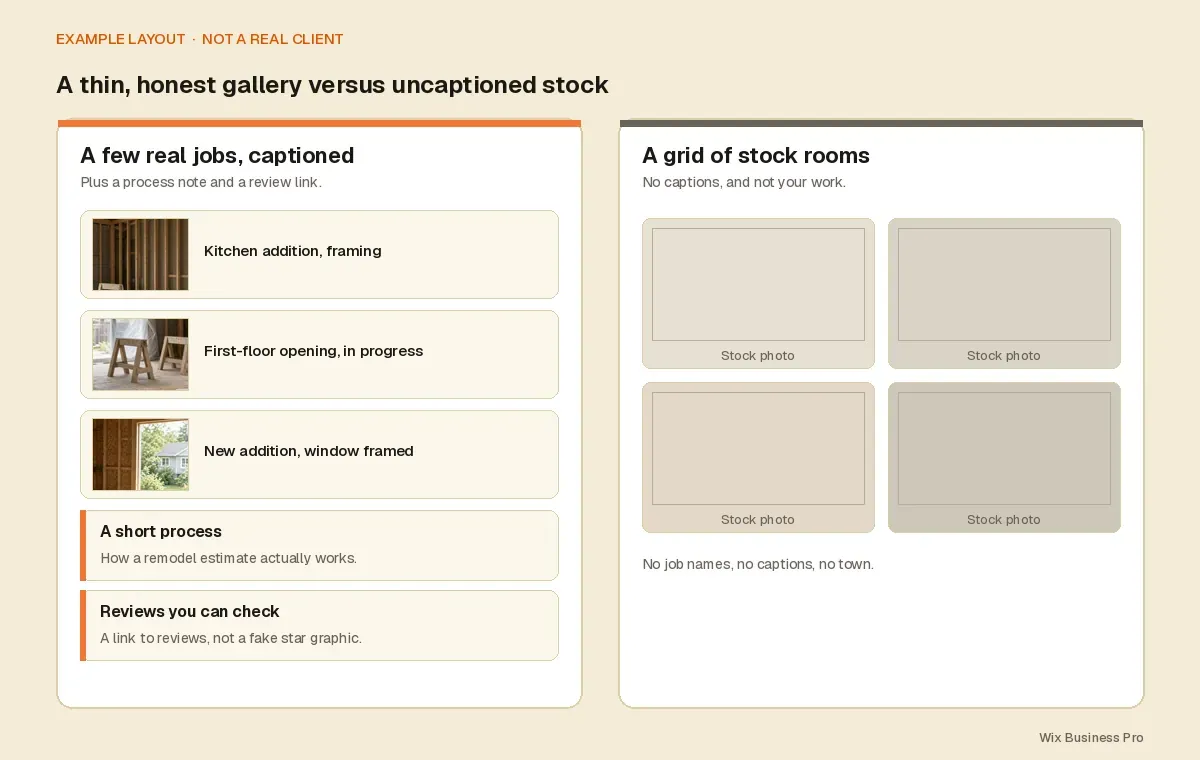
Example layout, not a real client. A small captioned gallery plus process and reviews, versus a grid of uncaptioned stock rooms.
Letting process and reviews carry the proof
When the gallery is small, the rest of the site has to work harder, in a good way. Write a short process in ordinary words: first visit, estimate, contract, permits if they apply, build, walkthrough. Link to a real Google profile or show real reviews — no fake stars and no invented names. Put your license, insurance, and any membership or warranty you actually carry where a visitor can check them. Rules differ by state and province, so show whatever your jurisdiction asks for. This isn't legal advice. A real photo of you or the crew, if they're willing, beats a stock "team in hard hats."
The US Department of Energy's page on hiring qualified contractors is written for post-disaster repairs, but the basic checks still apply: confirm the contractor is registered, check references, ask to see the liability insurance policy, and get a written contract. That's consumer guidance, not an endorsement of us.
You don't need a long menu. A home page, a page for each project type you actually sell, a small photos page, about, and a request path will do. If town pages come up, see local SEO for contractors.
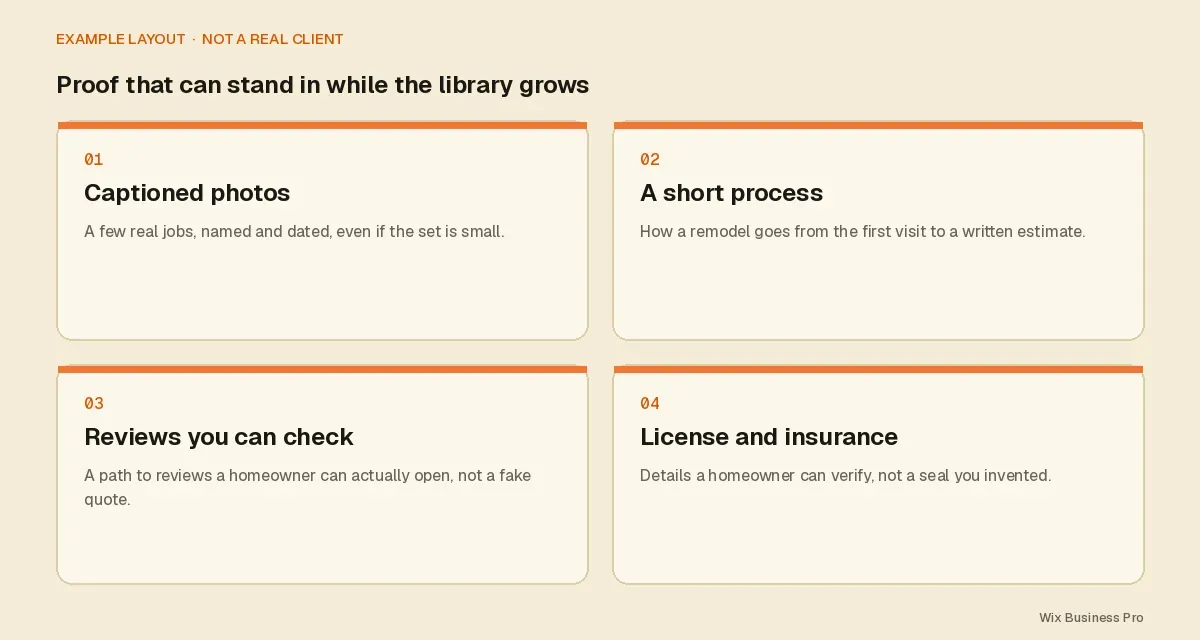
Example layout, not a real client. Four proof pieces that can stand in while the photo library grows.
What not to copy from a national GC site
Big commercial firms often publish sector filters, bonding and safety pages, trade-partner portals, and long project databases. That's the right site for their buyer, and the wrong template for a small residential builder or remodeler. Skip a made-up prequalification or "our safety stats" page if you don't have that material. Skip menus built around delivery methods unless you sell that work. Don't borrow skyline photos or imply a scale you don't have.
An estimate request built for a remodel
A remodel form can be short and still serious. Ask what you'd ask on a first call: the type of work (kitchen, bath, addition, other), town or ZIP, timing if they have a window, a phone number, and optional photos of the existing space plus a short note on the scope. Add a budget range only if you actually use it. Don't make a number a barrier, and don't publish "average project cost" tables you can't back up. The form should work on a phone, including after hours, and should say when you'll reply. It's a request for an estimate, not a booked slot.
Our Smart Website's estimate forms collect requests and pass them to you. The demo on our Smart Websites page shows an add-photos step. It's a demo; the finished form depends on what you approve. If you'd like this built for you, our Smart Website for contractors lists general contractors and remodelers among the trades it's made for. Per the live offer page, checked November 26, 2026: $599 paid in full, or 2 payments of $349 ($698 total), ready one week after we receive your completed onboarding form. The first year of hosting is included, then $250 a year for eligible custom-coded sites, only if you authorize it. Foundational SEO is included, not a ranking promise. Ongoing SEO is optional (Contractor Local $95/month, Contractor Growth $180/month). Ad campaigns and ad spend aren't included. All amounts are in US dollars. Its assistant doesn't answer phone calls, send missed-call texts, or book jobs unless you've told us exactly how. See our contractor website cost guide for other ways to build one.
Start with the real photos you have, with permission and captions. After the next finished job, add it.
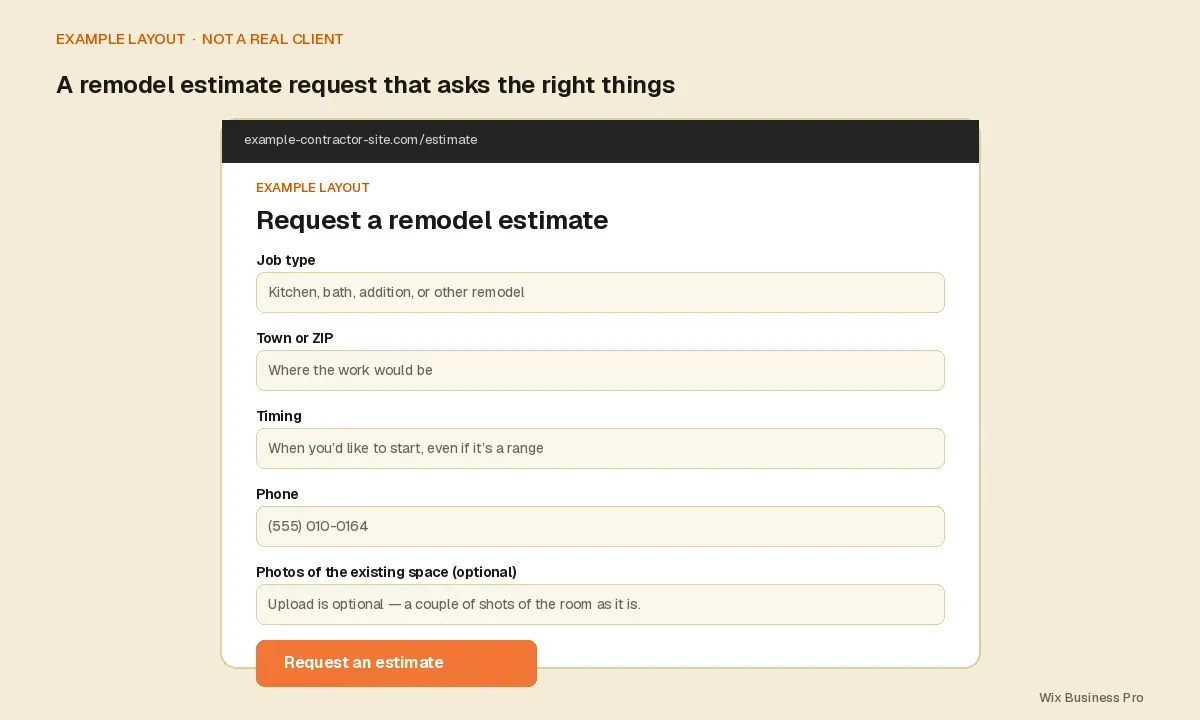
Example layout, not a real client. A remodel estimate form with job type, town or ZIP, timing, phone, and optional photos.
A remodel site that can earn an estimate even before the photo library is large
Look through the demo and the full terms first. Websites and SEO since 2013. Wix Partner since 2018 (about us). See the Smart Website for general contractors and remodelers, or send us a message.
Sources
Reviewed on November 26, 2026. Package details come from our live offer page that day.
- US Department of Energy: Hiring Qualified Contractors. Written for post-disaster repairs; used here only for the general checks (registration, references, insurance, written contract).
- Wix Business Pro: Smart Websites for Contractors and the contractor website cost guide.
Questions general contractors ask about their websites
Can I show a project if the homeowner hasn't said I can use the photos?
Better not. Ask first, and keep the yes in writing if you can. Skip interiors if you don't have permission.
Should I use stock kitchen photos until I have my own?
No. Use your own in-progress shots, labeled as process, until you have finished jobs to show.
My best project is several years old. Can I still show it?
Yes. Say when it was done. A real older job beats a newer-looking stock photo.
Do I need a page for every room type?
No. Make a page for each kind of project you actually sell, such as kitchens, baths, or additions.
What should the estimate form ask for on a remodel?
The type of work, town or ZIP, timing, phone, and optional photos of the space. Add a budget range only if you'll use it.